Musikplayer - Rocket Player6.3.2.2
Herausgeberbeschreibung


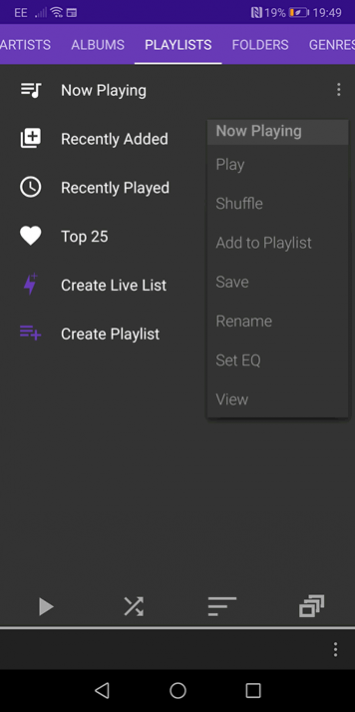
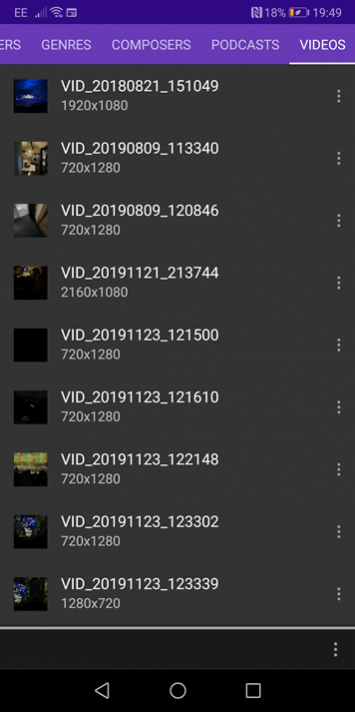
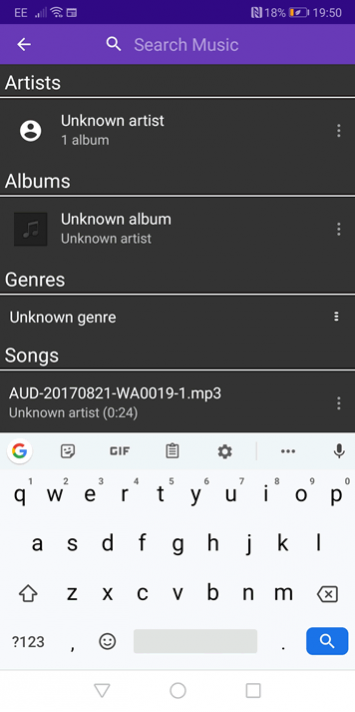
Android's fortschrittlichsten Musik-Player!
Genieße deine Musik mit dem besten Musik-Player.
Enthaltene Funktionen:
• Nach Lied, Album, Interpret, Playlist, Komponist oder Genre abspielen
• 10-Band-Grafikequalizer
• Mehr als 30 Titelsongs
• Eingebetteter Songtext
• Bearbeitung von Tags
• Spiele viele Formate ab (ogg, mp3, 3gp, mp4, m4a, alac, tta, ape, mpc, wav, flac, wv und wma )
• Chargenauswahl - für die Auswahl von mehreren Liedern gleichzeitig, um diese einer Playlist hinzuzufügen.
• Individuell anpassbarer Sperrbildschirm
• Sleep-Timer
• Podcast-Lesezeichen
• Mit Scrobbling kompatibel
• Mit Chromecast kompatibel
• Mit Android Auto kompatibel
Über Musikplayer - Rocket Player
Das Unternehmen, das Musikplayer - Rocket Player entwickelt, ist JRT Studio Music Players. Die neueste vom Entwickler veröffentlichte Version ist 6.3.2.2.
Um Musikplayer - Rocket Player auf Ihrem Android-Gerät zu installieren, klicken Sie einfach auf die grüne Schaltfläche Weiter zur App oben, um den Installationsvorgang zu starten. Die App ist seit 2026-08-05 auf unserer Website gelistet und wurde 17 Mal heruntergeladen. Wir haben bereits geprüft, ob der Download-Link sicher ist; zu Ihrem eigenen Schutz empfehlen wir jedoch, die heruntergeladene App mit Ihrem Antivirusprogramm zu scannen. Ihr Antivirusprogramm kann Musikplayer - Rocket Player als Malware erkennen, wenn der Download-Link zu com.jrtstudio.AnotherMusicPlayer defekt ist.
So installieren Sie Musikplayer - Rocket Player auf Ihrem Android-Gerät:
- Klicken Sie auf unserer Website auf die Schaltfläche Weiter zur App. Dadurch werden Sie zu Google Play weitergeleitet.
- Sobald Musikplayer - Rocket Player im Google-Play-Eintrag Ihres Android-Geräts angezeigt wird, können Sie den Download und die Installation starten. Tippen Sie auf die Schaltfläche Installieren unter der Suchleiste und rechts neben dem App-Symbol.
- Es wird ein Popup-Fenster mit den von Musikplayer - Rocket Player benötigten Berechtigungen angezeigt. Klicken Sie auf Akzeptieren, um den Vorgang fortzusetzen.
- Musikplayer - Rocket Player wird auf Ihr Gerät heruntergeladen und der Fortschritt angezeigt. Sobald der Download abgeschlossen ist, beginnt die Installation und Sie erhalten eine Benachrichtigung, nachdem die Installation abgeschlossen ist.
Programmdetails
Systemanforderungen
Download-Informationen
Preisgestaltung
Versionsgeschichte
Version 6.3.2.2
veröffentlicht am 2026-08-05
Version 6.3.0.1
veröffentlicht am 2026-02-06
** Fix large list loading
** Ignore ringtones in app folders permanently
** Fix rescan bug
** Prepare for Android API 30
** Allow genre filtering on the artist tab
** Updated translations
** Now you can turn off custom notifications and use the built-in Android notification instead
** Scanning fixes
** Fix for stars bug on some Samsung devices. I could only fix the default themes.
** Fixed some startup crashes on Android 11
** Added a few more languages
** Multi-delete tracks in playlists
Version 5.17.46
veröffentlicht am 2021-09-15
** Now you can turn off custom notifications and use the built-in Android notification instead
** Scanning fixes
** Fix for stars bug on some Samsung devices. I could only fix the default themes.
** Fixed some startup crashes on Android 11
** Added a few more languages
** Multi-delete tracks in playlists
** Add playlists and live lists as live list rules!
** Add "Folders" as a live list criteria
** Add the ability to set crossfading for normal, manual and shuffle track changes
Version 5.17.12
veröffentlicht am 2021-03-10
** Fix for stars bug on some Samsung devices. I could only fix the default themes.
** Fixed some startup crashes on Android 11
** Added a few more languages
** Multi-delete tracks in playlists
** Add playlists and live lists as live list rules!
** Add "Folders" as a live list criteria
** Add the ability to set crossfading for normal, manual and shuffle track changes
** Fixed a bug with Chromecast and going to the previous track
Version 5.16.102
veröffentlicht am 2021-02-18
** Multi-delete tracks in playlists
** Add playlists and live lists as live list rules!
** Add "Folders" as a live list criteria
** Add the ability to set crossfading for normal, manual and shuffle track changes
** Fixed a bug with Chromecast and going to the previous track
** Fixed some issues with large libraries. They should update faster and use less processing power now.
** Filter bar in more places
** Minimalist mode now removes the filter bar
** Smoother animations
Version 5.16.70
veröffentlicht am 2021-01-13
** Add playlists and live lists as live list rules!
** Add "Folders" as a live list criteria
** Add the ability to set crossfading for normal, manual and shuffle track changes
** Fixed a bug with Chromecast and going to the previous track
** Fixed some issues with large libraries. They should update faster and use less processing power now.
** Filter bar in more places
** Minimalist mode now removes the filter bar
** Smoother animations
Version 5.16.52
veröffentlicht am 2020-12-05
** Add "Folders" as a live list criteria
** Add the ability to set crossfading for normal, manual and shuffle track changes
** Fixed a bug with Chromecast and going to the previous track
** Fixed some issues with large libraries. They should update faster and use less processing power now.
** Filter bar in more places
** Minimalist mode now removes the filter bar
** Smoother animations
** Fix for shuffling from a song not playing that song first and the shuffling songs after
Version 5.16.24
veröffentlicht am 2020-11-16
Email MusicPlayer@jrtstudio.com for support.
** Fixed some issues with large libraries. They should update faster and use less processing power now.
** Filter bar in more places
** Minimalist mode now removes the filter bar
** Smoother animations
** Fix for shuffling from a song not playing that song first and the shuffling songs after
** Samsung users on Android 10 get forced rescans to help with metadata issues
** Fixes for most common crashes
** Fix repetitive dialog for some users
Version 5.15.124
veröffentlicht am 2020-10-22
Email MusicPlayer@jrtstudio.com for support.
** Filter bar in more places
** Minimalist mode now removes the filter bar
** Smoother animations
** Fix for shuffling from a song not playing that song first and the shuffling songs after
** Samsung users on Android 10 get forced rescans to help with metadata issues
** Fixes for most common crashes
** Fix repetitive dialog for some users
** Fix playlist re-ordering bug
** Re-re-wrote the folder view.
** Fix media scanner
** Chromecast fixes
Version 5.13.100
veröffentlicht am 2020-08-13
Email MusicPlayer@jrtstudio.com for support.
** Fixes nasty startup crash
** Samsung users on Android 10 get forced rescans to help with metadata issues
** Fixes for most common crashes
** Fix repetitive dialog for some users
** Fix playlist re-ordering bug
** Re-re-wrote the folder view.
** Fix media scanner
** Chromecast fixes
** GDPR dialog fix
** Delete video UI fix
** Resizable widgets
** Configurable widgets
** Smoother scrolling
** Chromecast album art fix
